 How-to
Fleet Vehicle Inspection Tracking Software: What to Choose
Last Updated: November 14, 2026
Quick Summary
Fleet vehicle inspection tracking software replaces paper forms with mobile checklists, timestamped records, photo documentation, and automated repair workflows. The right inspection tracking software ties each submission to a unique driver, requires photos at high-failure items, and turns every flagged defect into a tracked repair order.
- Digital DVIR records need a unique driver identity, photo evidence, and a locked history that cannot be edited.
- Offline-first submission lets drivers complete inspections with no signal and sync automatically when connectivity returns.
- An out-of-service defect flag should notify the shop and prevent the vehicle from being dispatched.
- Free tiers usually cap vehicles, limit photo storage, and lack automated reminders or audit-ready reporting.
- Pilot with one driver group for two weeks and compare completion rates against the paper process before expanding.
Table of Contents
- What Fleet Vehicle Inspection Tracking Software Actually Does
- Digital DVIR Software: Compliance Records That Hold Up
- Pre-Trip Inspection App: Building the Driver Workflow
- Fleet Maintenance Software: From Defect to Repair Order
- Free Fleet Inspection Software: What the Free Tier Covers
- Total Cost of Ownership and Pricing Evaluation
- Measuring Inspection Program Outcomes
- Rolling Out Inspection Software With Your Repair Shop
- Frequently Asked Questions
What Fleet Vehicle Inspection Tracking Software Actually Does
Fleet vehicle inspection tracking software is a digital system that replaces paper inspection forms with mobile checklists, timestamped records, photo documentation, and automated repair workflows.
The core job is simple: prove every vehicle was checked, catch defects early, and route repairs before they cause downtime.
Below, we break down what the software must do, how to evaluate it, and where free tiers stop being enough.
Digital DVIR Software: Compliance Records That Hold Up
A driver vehicle inspection report, or DVIR, is only as good as the record behind it. Digital DVIR software creates a time-stamped, driver-linked inspection entry that survives audits far better than a clipboard.
Three things separate a defensible record from a weak one:
- A unique driver identity attached to each submission
- Photo evidence tied to the specific defect
- A locked history that cannot be edited after the fact
Watch out: a system that lets drivers submit an inspection without identifying themselves produces records that fall apart the moment anyone questions them.
For fleets that want photo-documented records without managing the process in-house, a digital vehicle inspection gives you pictures of what ails each vehicle.
Pre-Trip Inspection App: Building the Driver Workflow
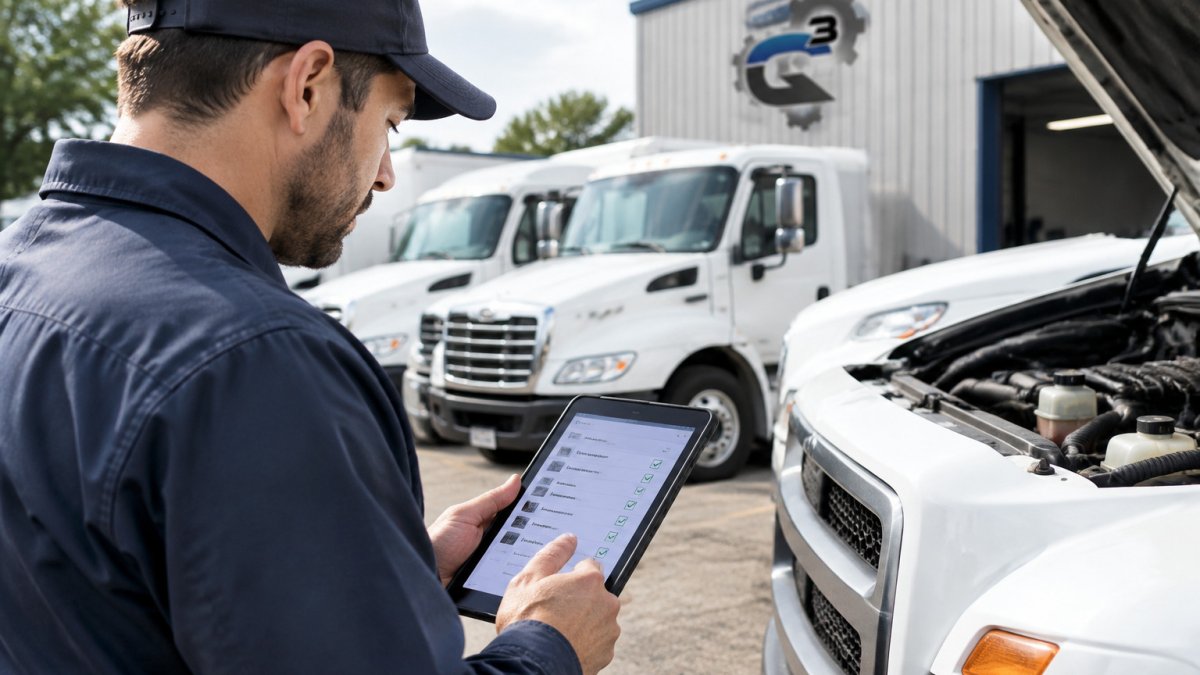
The best inspection software fails if drivers won't use it. A pre-trip inspection app lives or dies on how fast a driver can finish a walk-around before the first delivery, and on whether the app works when the driver is standing in a cold lot with one bar of signal.

Design the workflow around the driver, not the fleet manager:
- Open the app and select the vehicle by scanning a QR code or plate
- Walk a fixed checklist with photo prompts at key items
- Flag defects with a photo and short note
- Submit, which triggers a notification to the manager
That four-step loop is table stakes. What separates an app drivers actually use from one they abandon is how it handles the conditions of a real pre-trip:
- Offline-first submission. The app should let a driver complete and submit an inspection with no signal, queue it locally, and sync automatically when connectivity returns. A form that blocks submission until it reaches a server will get skipped on rural routes and in yard dead zones.
- Photo prompts tied to specific items. Rather than a generic "add photo" button, the checklist should require a photo at the items most likely to fail, tires, lights, brakes, coupling devices, and fluid leaks. This produces evidence that holds up later and stops drivers from submitting a blank pass.
- Defect severity, not just a flag. Let the driver mark a defect as out-of-service versus monitor. An out-of-service flag should immediately notify the shop and prevent the vehicle from being dispatched, which is the mechanism that turns an inspection into a safety control rather than a suggestion.
- Short, vehicle-specific checklists. A 60-item checklist that takes 20 minutes gets skipped. Trim to what matters for that vehicle type and class, and let the fleet manager version the checklist so a box truck and a heavy-duty tractor don't share the same form.
- Language and accessibility. If part of the driver pool reads English as a second language, multilingual forms and large tap targets reduce submission errors and support a consistent record.
A common pattern is to pilot the app with one driver group for two weeks and compare completion rates against the paper process before expanding. If completion drops, the problem is usually friction, too many taps, a required field drivers can't answer, or a sync failure, not driver attitude.
Require a unique driver login on every pre-trip inspection submission so each record is tied to a specific driver.
Fleet Maintenance Software: From Defect to Repair Order
A defect that never becomes a repair order is just a note. This is where fleet maintenance software earns its place: it turns a flagged issue into a tracked work order with an owner and a deadline.
The workflow should run in one direction with no gaps:
| Stage | What Happens | Who Acts |
|---|---|---|
| Defect flagged | Driver submits photo and note | Driver |
| Notification | Manager and shop alerted | Fleet manager |
| Work order | Repair scheduled and assigned | Shop |
| Corrective action | Repair completed and logged | Technician |
| Verification | Record closed with proof | Fleet manager |
If any stage lives in a separate spreadsheet or text thread, defects slip through. For a deeper look at the repair-order side, see how to track fleet maintenance expenses effectively.
Free Fleet Inspection Software: What the Free Tier Covers
Free fleet inspection software usually covers the basics: digital forms, a small vehicle limit, and basic reporting. That is often enough to test whether drivers will adopt a mobile workflow.
Where free tiers stop:
- Vehicle caps, often a handful of units
- Limited photo storage
- No automated reminders or integrations
- Reporting that won't satisfy an audit
Small operations comparing options should read our guide to choosing fleet management software for small businesses before committing to a paid plan.
Total Cost of Ownership and Pricing Evaluation
Most buyers compare sticker price and stop there. That misses the costs that decide whether the software pays for itself.
Evaluate total cost across four buckets: subscription per vehicle, implementation and training time, hardware or mounting for mobile devices, and the staff hours saved on paperwork. A cheaper plan that drivers abandon has an infinite cost per completed inspection.
Ask vendors for a per-vehicle monthly figure and a clear answer on what triggers an upgrade.
Measuring Inspection Program Outcomes
You cannot improve what you do not measure, and most inspection software rollouts never define what success looks like. Track a small set of numbers from week one and review them on a fixed cadence, weekly for the first month, then monthly.
- Inspection completion rate. Completed inspections divided by scheduled inspections, broken out by driver and by vehicle. A rate that drifts below the fleet's target usually points to a workflow problem, not a compliance problem.
- Defects found per inspection. A sudden drop in defects flagged while completion stays high is a warning sign that drivers are tapping through without looking.
- Time from defect to repair order. Measure the hours between a defect submission and a work order being opened. This is the metric that exposes a broken handoff between the driver, the fleet manager, and the shop.
- Time from repair order to corrective action. How long the vehicle sat before the repair was completed and logged.
- Repeat defects on the same vehicle. The same issue flagged three times in a month means the first repair didn't solve the root cause. This is where inspection data becomes a maintenance decision tool.
- Vehicle downtime attributable to inspected defects. Track the hours a unit is out of service for issues that were caught on an inspection versus issues that surfaced on the road.
- Audit findings. Count the records that failed an internal or external review because of a missing driver ID, missing photo, or missing corrective-action note. The goal is zero, and every finding points to a form or workflow fix.
A rising completion rate with a stable defect count usually means drivers are inspecting honestly. A high completion rate with almost no defects flagged is a warning sign, not a win.
Set a baseline before the software goes live by pulling one month of paper or legacy records, then compare the same metrics after rollout. Without a baseline, a completion rate of 92% tells you nothing about whether the program improved. Review the numbers with your repair partner so defect-to-repair time and repeat defects are visible to the people doing the work, not just the fleet manager. To connect these numbers to maintenance ROI, read about automated fleet maintenance tracking.
Rolling Out Inspection Software With Your Repair Shop
Rollout steps that hold up:
- Start with one vehicle type and one driver group
- Run paper and digital side by side for two weeks
- Review the first month of records with your repair shop
- Expand once completion is consistent
Before you hand over fleet work, it pays to know how to choose a trustworthy mechanic for fleet service. A shop that documents its own work matches the discipline your inspection software enforces.
The gap between a fleet with real inspection records and one without comes down to follow-through. Q3 Car & Truck Repair supports fleets with expert care for cars and trucks, transparent communication and straightforward estimates, and quality workmanship from highly skilled technicians. If defects keep slipping through and repairs feel like guesswork, get started with Q3 Car & Truck Repair and build a maintenance record you can trust.
Frequently Asked Questions
What features should fleet inspection tracking software include?
Look for customizable digital inspection forms, photo capture with validation, real-time defect notification, and a repair workflow that turns a failed item into a work order. Offline mode matters if drivers inspect in areas without signal. Reporting should show completion rates, repeat defects, and open repairs by vehicle. Also confirm the platform stores inspection history in a searchable digital record, so you can produce records during an audit without digging through paper binders.
Can digital DVIR software track pre-trip and post-trip inspections separately?
Yes. Most platforms let you build separate checklists for pre-trip and post-trip, each with its own required fields and defect categories. Drivers select the inspection type when they start, and the system timestamps and logs the submission against that vehicle and driver. That separation keeps the record clear: a pre-trip defect is documented before the vehicle moves, and a post-trip note is filed at the end of the shift. Ask any vendor to show you both workflows before you commit.
Is free fleet inspection software enough for a small operation?
It can be a reasonable starting point for a handful of vehicles. Free tiers typically cap the vehicle count and limit reporting, photo storage, or integrations. Before relying on one, check what happens when you exceed the cap and whether your inspection history stays exportable if you leave. For a small business managing work vehicles, the bigger question is whether the tool connects to the shop doing your repairs, since a defect that never reaches a mechanic is just a record.
How does inspection tracking software help with compliance?
It creates a timestamped, searchable record of every inspection, defect, and repair, which is what an auditor or investigator asks for first. Digital forms require drivers to complete required fields, so gaps are visible immediately instead of months later. Automated reminders prompt scheduled inspections before they lapse. That said, software documents your program; it does not replace the maintenance itself. Pair the records with a repair shop that returns written findings on each defect so the file is complete.